These are the tabs labeled
Page 1,
Page 2,
Page 3 located below the title bar.
Clicking a tab with the mouse switches the page.
Right-clicking displays the
Page Menu, and double-clicking opens the
Pages option settings.
Clicking an item button launches the registered program, and right-clicking displays the
Item Menu.
If you right-click a button with no item assigned, the
Empty Button Menu is displayed.
The number of buttons changes depending on the size of the CLaunch window.
 Launcher Window Appearance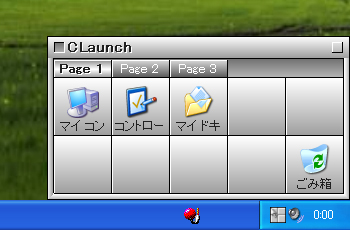
 Page Tabs